Event check-in app
Turn any phone into a check-in station.
Scan QR tickets or search a name, register walk-ins on the spot and watch arrivals as they happen. Your staff never see a guest's email or phone.
Event check-in app
Scan QR tickets or search a name, register walk-ins on the spot and watch arrivals as they happen. Your staff never see a guest's email or phone.
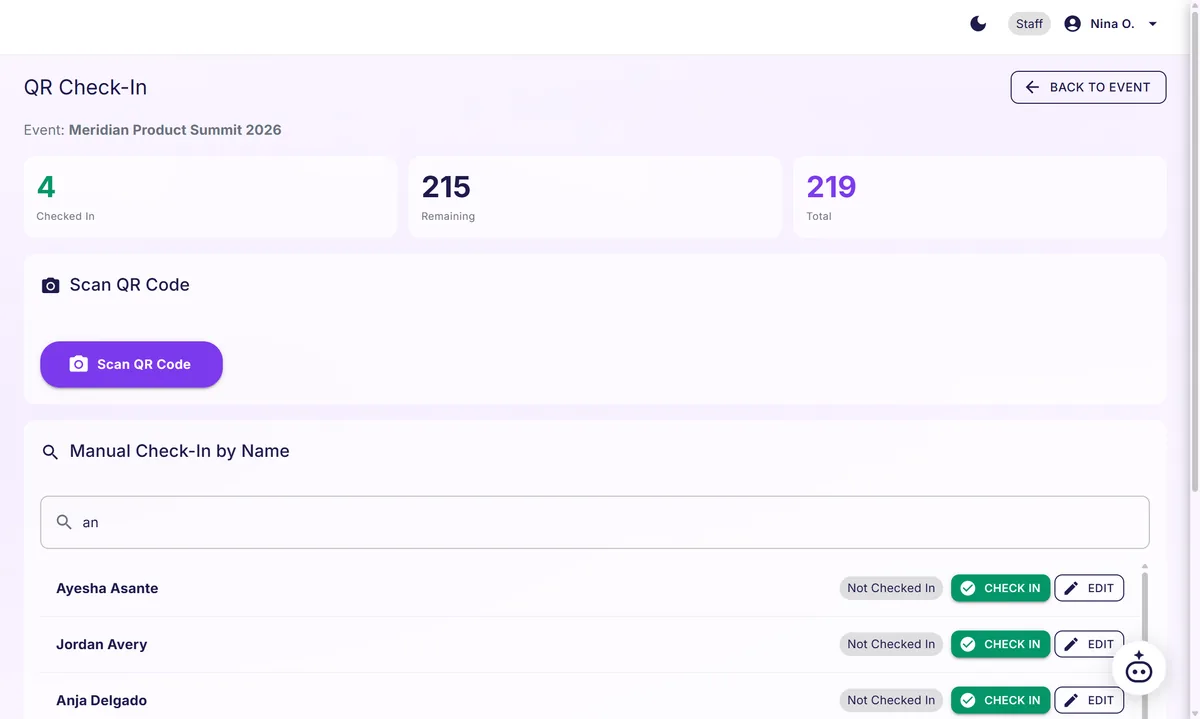
Every guest gets a personal QR code. Staff scan it with the camera on any phone or tablet, or search the list and mark the guest in by name. Each scan records who arrived, when and who scanned them.
Someone arrives without registering? They sign up at the door and go straight onto the guest list, like everyone else.
Staff and volunteers see a guest's name and check-in status, never an email or phone number. The rule is enforced on our servers, on every plan.

For tours, multi-room programs and multi-day events, add stops and scan at each one. Every stop keeps its own headcount, scan-in and scan-out times and minutes present. When the scanning device has a location fix, the scan records where the scanner stood, never where a guest's phone is.
Name badges print as guests check in, on Growth and above, from seven Avery templates. Or set a tablet at the door and let guests type their name and check themselves in, on every plan.

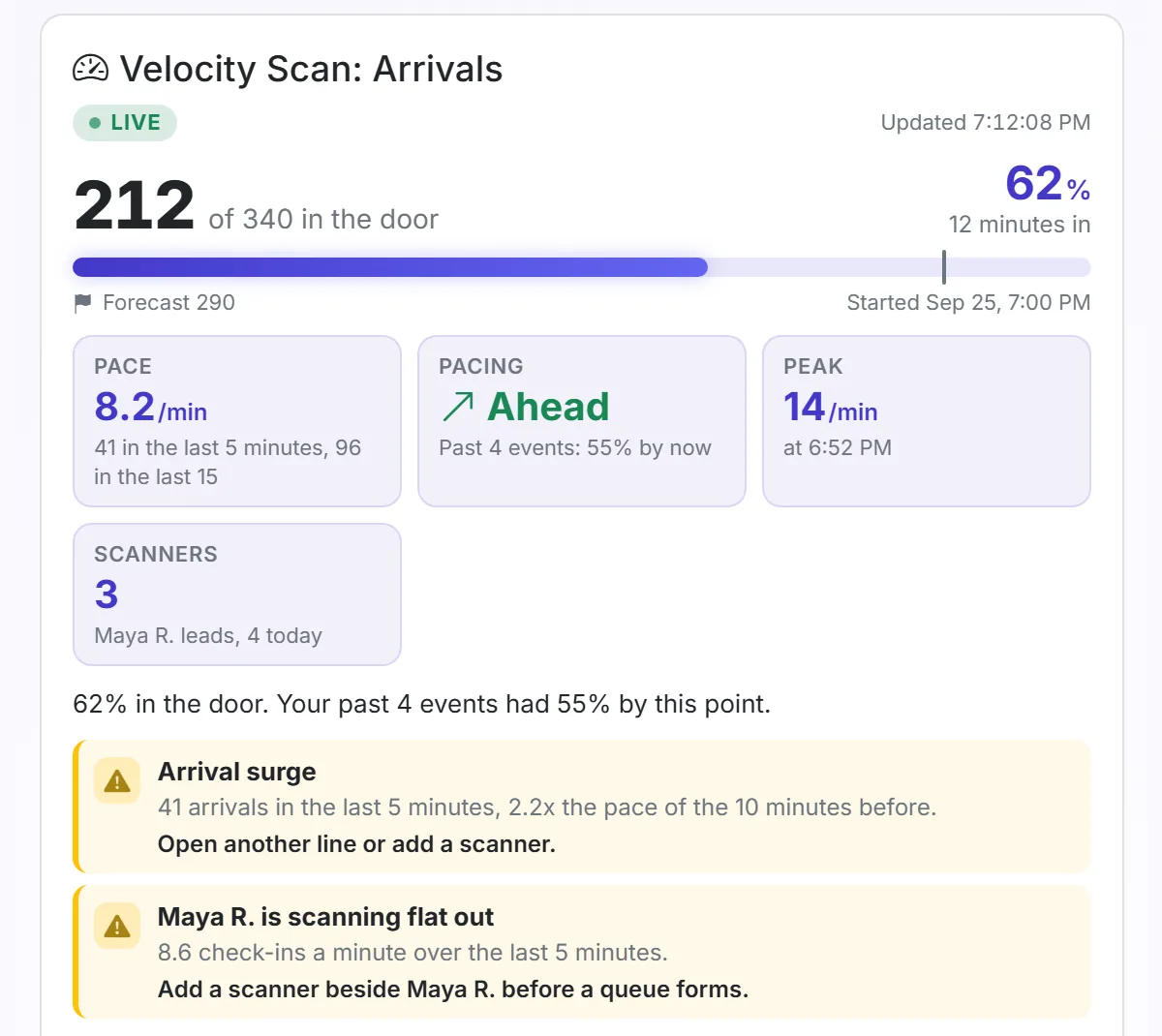
A live feed shows guests as they arrive, and Velocity Scan: Arrivals above it shows who is in against who registered, with a flag when the door needs a hand. Unknown codes, duplicate scans and scans for the wrong event are flagged and kept on the event record, so afterward you can tell one confused guest from thirty.