Use casesNonprofit events

Real events. Hundreds of guests. Forecast attendance within 3%, improving with every event.

Know how many are coming before you pay for the plates.

Donation money lands in your Stripe account.

Event overview forecasts 75 expected of 225 capacity, with next-step cards for the at-risk guests and a reminder draft.
Catering is the bill you can actually control.
Your forecast updates as registrations arrive, reading registration pace, past no-show rates, weather, day of week, seasonal patterns, and how your repeat guests have behaved before. Forecast attendance within 3%a, improving with every event you run. AI turnout forecasting before you book catering. Vantage predicts attendance based on past events, RSVP trajectory, weather, and send-time patterns. The forecast tightens as the event approaches, recalculating every time you open it as RSVPs and reminders fire, and tightens to a confidence band the closer the event gets. Your final headcount, four days out: the caterer's call goes in with a forecast, not a guess. Caterer locked at the right headcount four days out. You stop ordering food for ghosts, and you stop running short when the number lands higher than you guessed.
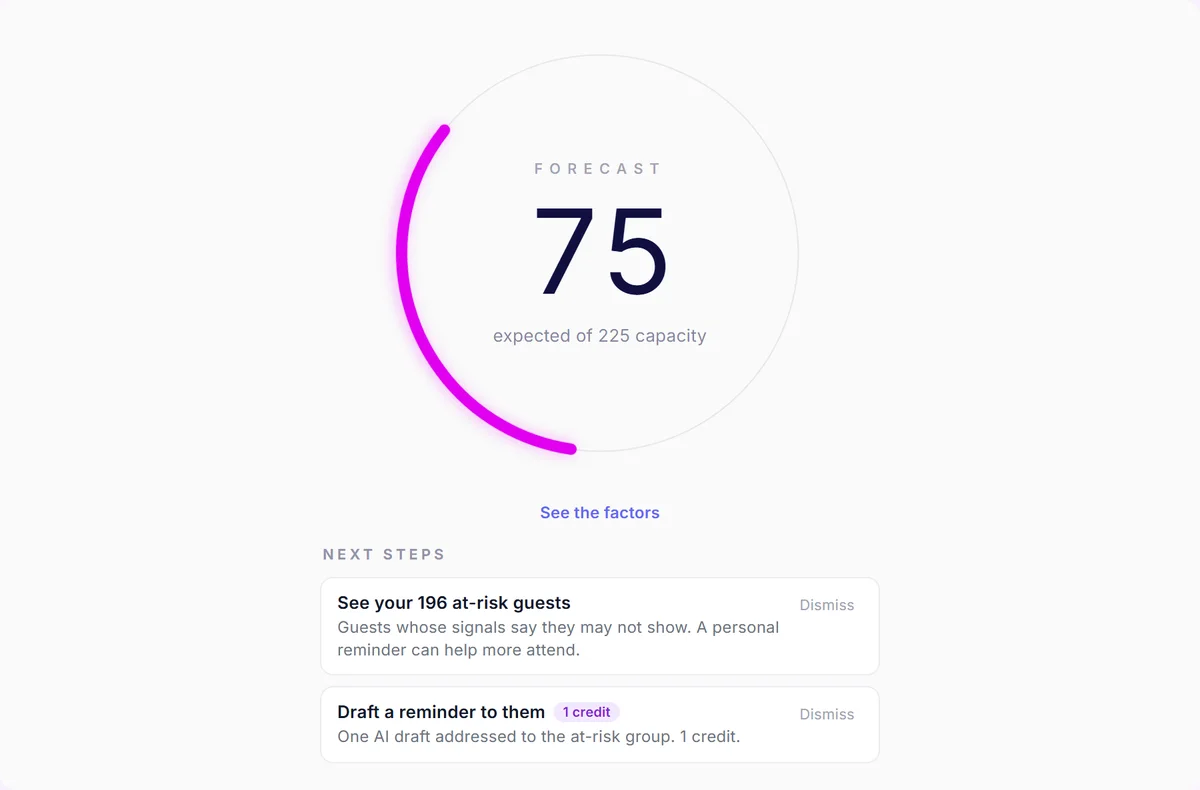
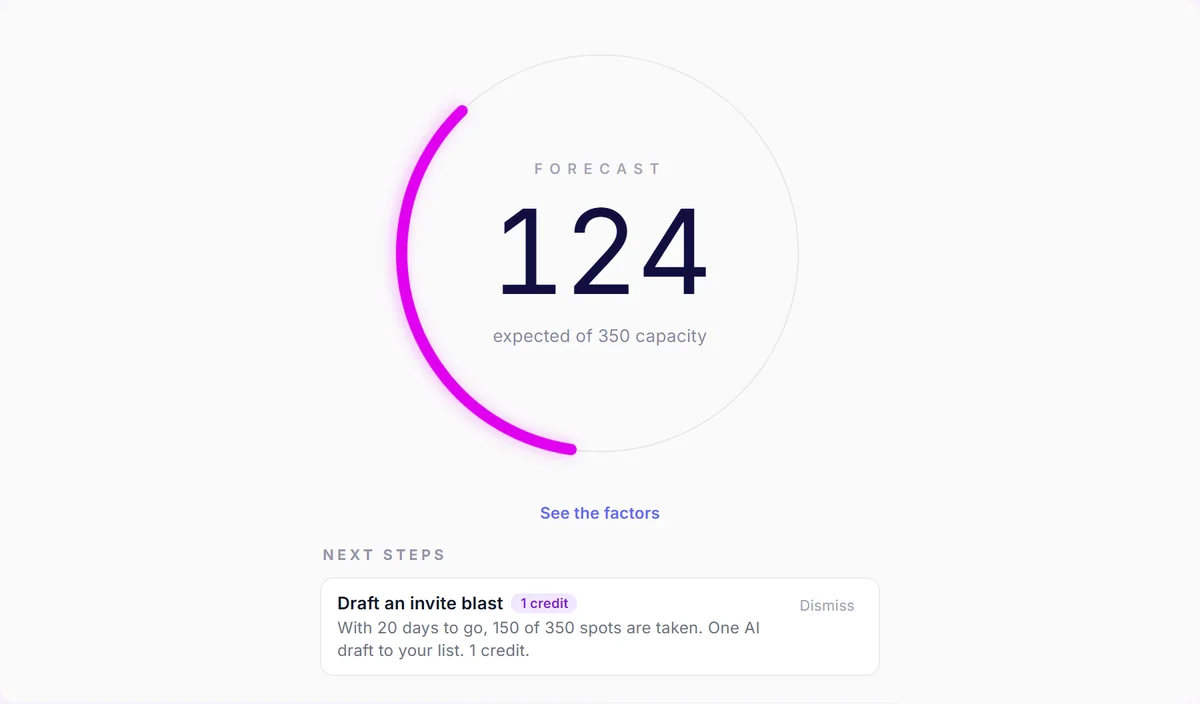
The forecast card shows 124 expected of 350 capacity, with a next-step card.
See whether your event is on track before guests arrive.
Volunteers work the door without seeing donor emails or phone numbers.
Your board members and volunteers are the people scanning guests in. Email addresses and phone numbers are stripped out before they ever reach that screen. This is enforced in the data layer rather than hidden in the interface, so it holds no matter which device the volunteer is using. Volunteers scan on their own phones, offline if the venue demands it, seeing names and organizations only. Volunteers never see giving history. Phone numbers, emails, and giving history are masked from volunteer roles by default.
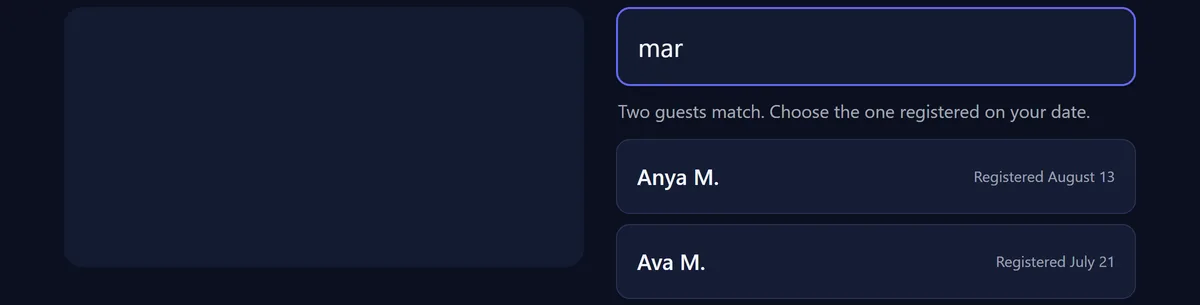
Guest kiosk matches two guests and shows first names, last initials, and registration dates.
Let guests find their registration without sharing contact details.
Your ticket money lands in your own Stripe account.
Registrations are paid through the organizer's own Stripe account rather than being held by us. The Vantage platform fee is 3% on every plan, plus the fees your payment processor charges. On a $30,000 gala that is $900 to Vantage.
The billing plan table shows the same platform fee on every plan, plus processor fees.
Know the platform fee and processor fees before setting ticket prices.
One event, several places.
Walk-a-thon water stops. Golf tournament holes. A progressive dinner across three venues. Turn on multi-stop and each place becomes its own check-in point, with arrival times recorded per stop and shown on a map.
Check-in that works where your event actually happens.
The guest list downloads once and scanning continues offline, with each scan keeping its real time and syncing when the connection returns. Check-ins queue locally, then sync with the original check-in time preserved. After that, scanning keeps working through a dead zone: a country club with one bar of signal, a park at the far end of a 5K route, a ballroom basement. Scans queue on the device with their real times and sync the moment the connection returns.

Related: Protect Guest Contact Details at Gala Check-In

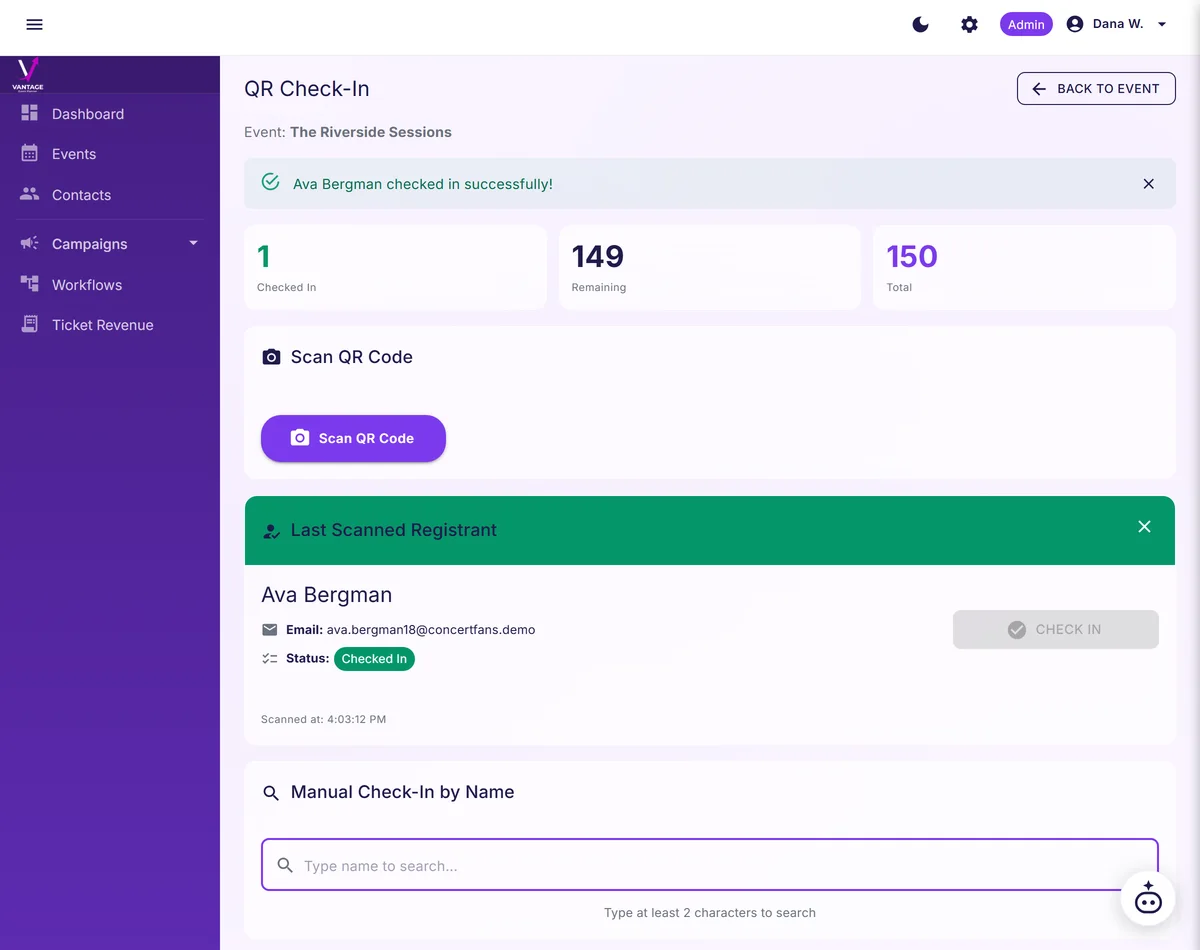
QR check-in confirms a guest with a green checked-in message and the running count.
Confirm each arrival quickly and keep the welcome line moving.
You can answer "who was at the door?" afterward.
Off-list scans are recorded rather than waved through: a ticket for a different event, an unknown code, a duplicate entry. The record is kept with the event.
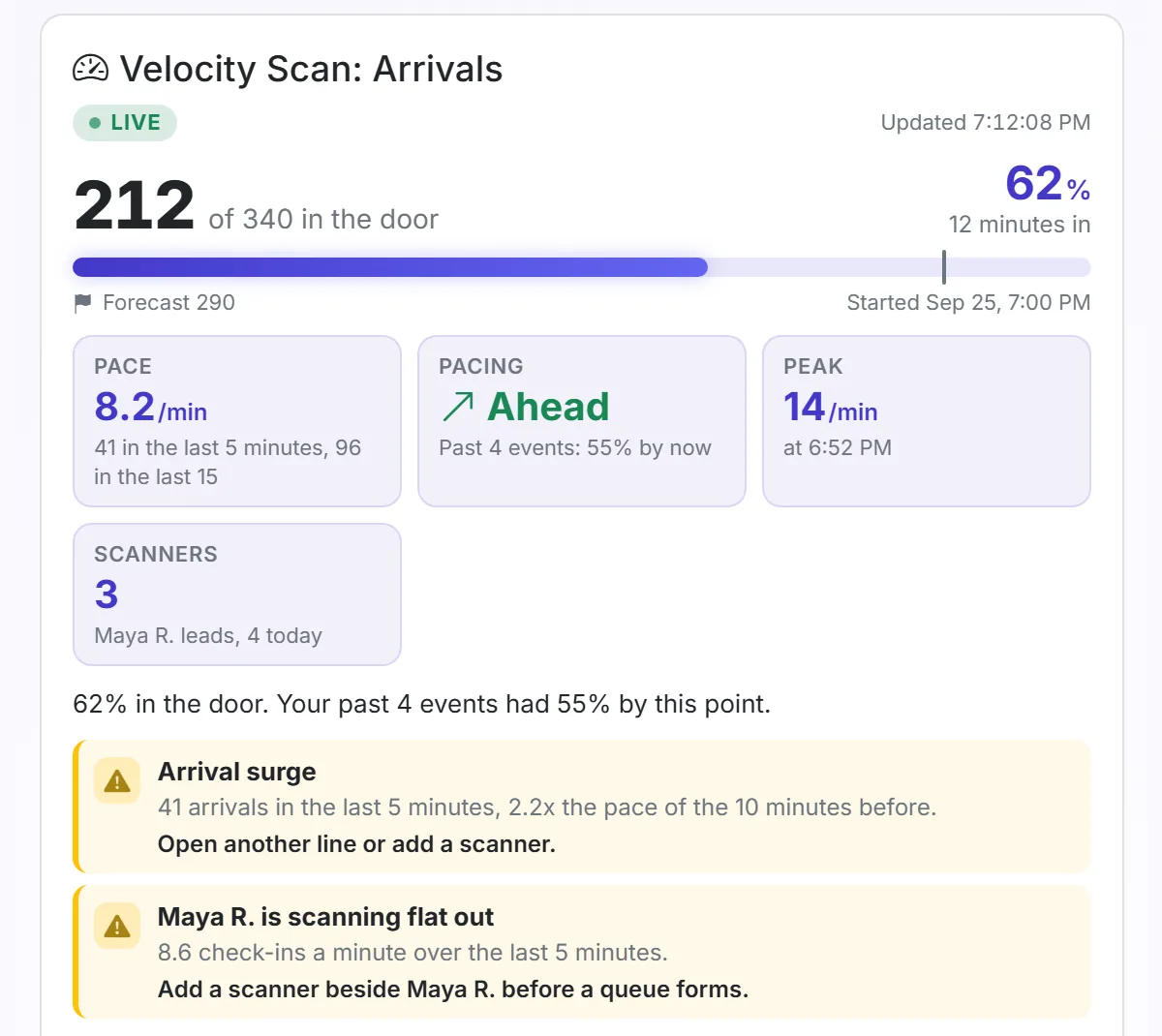
Velocity Scan: Arrivals card for a gala, with the door count, check-in pace and flags.
On gala night, see who is in and when to open another line.
Donation receipts sent automatically on settlement.
A donation is a donation-eligible ticket purchase settled through the organizer's own Stripe account. When the organizer turns on receipts in Settings, enters its legal name, and attests that it qualifies, Vantage uses that information but does not verify eligibility. The organizer marks eligible tiers and provides each tier's fair-market value and benefit description. At checkout, donors see the disclosure and can decline the admission benefit for a fully deductible gift. On settlement, Vantage issues and emails an acknowledgment showing the legal name, amount, benefit value, deductible portion, and benefit-exchange statement. Receipts appear in Settings, donation revenue appears in the per-event financial report, and retries do not create duplicates.
Know who needs reminding. See who showed up.
Before the gala, see who needs a reminder and who does not, so reminders go where they matter. After it closes, Attendance Rank shows who came, who stayed to the end when you scan them out, and who has been before. It ranks what guests did, never how much donors could give. One draft per guest, one credit each, you review and send. Vantage forecasts which donors will skip and the AI co-planner re-engages them. Send sequence drafted by the AI in your ED's voice, deliverability tuned, soft-bounces flagged for development to clean. Invitations that arrive, in language donors recognize.
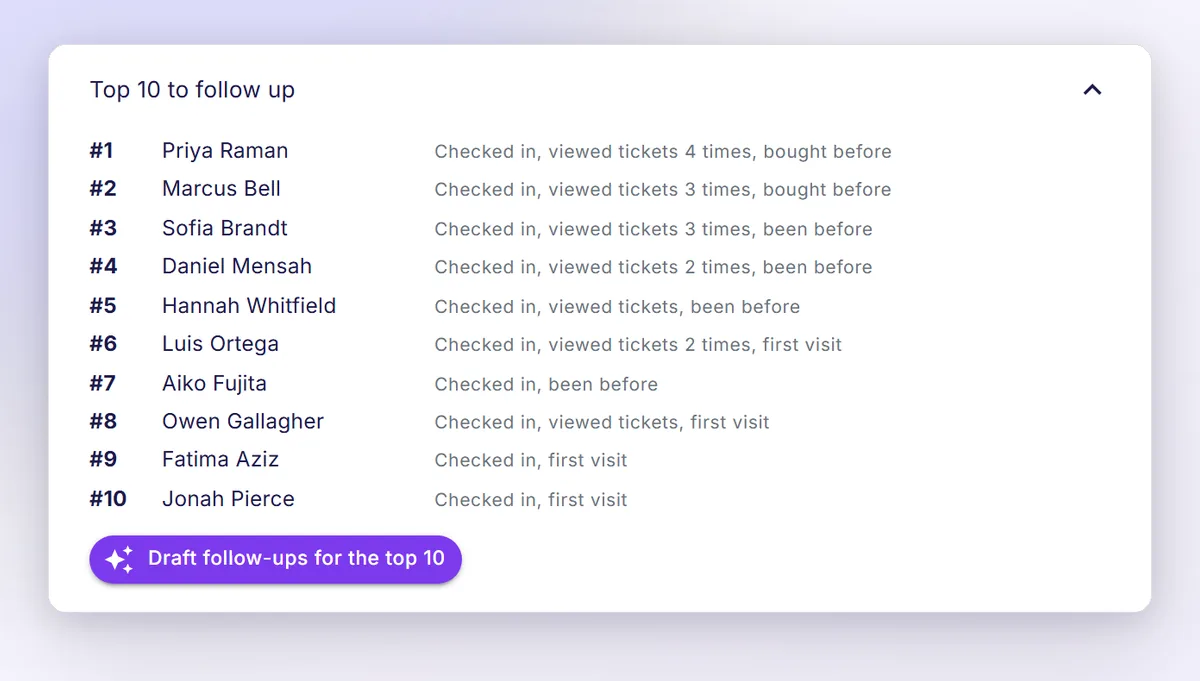
The top ten guests to follow up, what each did, and one button to draft their follow-ups.
Start your follow-ups with the guests who showed up.
Post-event ROI on one screen for the board meeting.
Revenue, cost per attendee, net to mission, new donors acquired, repeat donors retained, average gift size, year-over-year delta. Pulled into a one-page export the morning after the event. Same numbers your CFO would have built by hand. Your board chair gets the answer before they ask. Guest records export to CSV whenever you want them, with the fields you defined and the columns you define.
Vantage is the layer your CRM does not have time to be.
It sits on top. Vantage does the event lifecycle, the donor intelligence across events, and the post-event ROI. Your CRM continues to hold the constituent record of truth: CSV export and webhook sync to Salesforce NPSP, Bloomerang, DonorPerfect, and the like. You do not pick one or the other. Your data is exportable in CSV at any time. The AI handles the heavy lift on email cadence, dietary capture, and tax receipts. The cultivation queue replaces the spreadsheet your dev director was building by hand on Sunday afternoons. Giving history, dietary restrictions, and last cultivation note in one place. The platform that wrote the receipt is the same one writing the cultivation queue. Same donor record, every event.

Every event raises more than the last one.

More donors in seats. More raised. Donor intelligence across every event you have ever run. See which attendees come back, who upgrades their giving, who has attended six events in three years without anyone on your team noticing. Cross-event patterns surface in the cultivation queue automatically. Every insight below answers one question: how does this raise the next gift, retain the donor, or close the cultivation loop?

01 · Upgrade trajectory

The donor whose gift size is climbing.

Vantage flags donors whose gifts have risen across the last three events. Surfaces them in the cultivation queue with a suggested next ask, calibrated to past pattern. Your development director sees the moment, not the spreadsheet.

02 · Hidden major donor

The repeat attendee development never noticed.

Cross-event analytics surface the donor who has shown up to six events in three years without anyone on your team reaching out personally. The CRM had her flagged as small-dollar. Vantage flags her as overdue for a coffee.

03 · Lapsed donor alert

The donor who used to come, and then stopped.

Vantage tracks the donors who attended consecutively, then dropped off. Suggests a re-engagement touch before the gap becomes a full lapse. Your retention rate stops being a quarterly surprise.

04 · Cultivation queue

The next ten people development should call.

Ranked daily by gift trajectory, attendance pattern, and time since last contact. Not a generic priority score. A working call list your two-person dev team can actually finish in a week.

05 · Reminder timing

When to send the next one.

A suggested send time for your next reminder, drawn from when your guests actually open and respond.

06 · Net-to-mission report

The board-ready ROI export, the morning after.

One PDF. The version your CFO would build by hand if the CFO had three more days.

Free. No card.
Founding cohort

Founding cohort gets 12 months of next-tier features at their current tier's price, which on Growth means Pro features for $39. No fixed deadline. The cohort closes when 10 nonprofit EDs have signed on.

See full pricing

Before you ask, here's what other organizers asked.

Does the free plan really work for a small chapter?
Yes, and it is permanent rather than a trial. The free plan covers up to 25 events, 250 guests per event, QR check-in, the attendance forecast, and one Vantage Point per event, the highest-importance signal the engine ranks. A 30-day Pro trial adds the full 15 Vantage Points per event and 2,000 guests. It needs a card and drops back to Free whenever you cancel.
Can our volunteers see donor phone numbers and emails?
No. Role-based access means volunteers see name and organization only. Staff-role users see name, organization, and check-in status. Contact details are removed before the door screen receives them.
What does Vantage cost us per ticket?
Every plan has Vantage's 3% platform fee on ticket sales and donations, plus the fees your payment processor charges through your own account; the proceeds go there. Stripe is today's processor.